Click the Button Settings and Comfort
Cursor size, your Steam name on the board, volume, and the options that were already on the store page.
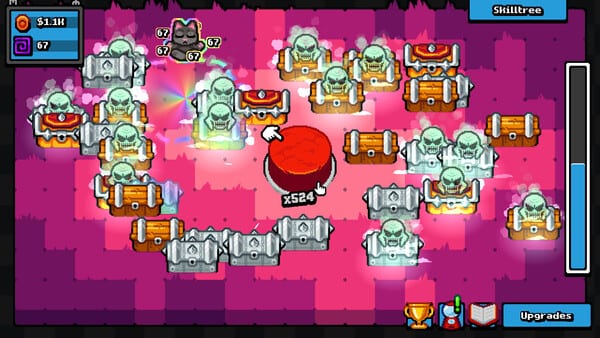
The 27 August menu additions
LoopCap’s note “Update: bug fixes, Steam Cloud and more” (27 August 2026) added two player-facing options besides Cloud:
- The game now uses your Steam account name instead of your computer name.
- A new slider in the menu adjusts cursor size.
Those are the only new labels this wiki will quote. We will not invent a graphics preset list, a secret debug overlay, or a keybind screen LoopCap has not documented. If your build shows extra toggles, trust the client. If a YouTube overlay draws fake menus from a different clicker, close it. This is app 3946950, not Just Click the Button and not a Roblox room.
Steam Cloud is the save page. Controls is still the input and fullscreen page. This page is the middle: what you change so an evening of clicking does not wreck your hand or your eyes.
Cursor size
A small Godot clicker with a giant button still needs a pointer you can see. If you play at 1920×1080, on a TV, or with the Demo-era 1280×720 corner bug in mind, a tiny hardware cursor is easy to lose against particle pops. The new slider is the official answer. Turn it up until the pointer is obvious. Turn it down if it covers chest art you are trying to read.
This is not a damage stat. Bigger cursor does not click faster. It does not complete Hands on Fire!. Measure human speed on the CPS test if you care. Do not use a third-party “giant cursor” injector; autoclickers and overlay tools can crash this client.
If the slider does nothing, you may be on an unpatched launch build. Restart Steam, verify files, then look at updates. If the whole picture is a stamp in the corner, that is a display bug — play windowed — not a cursor-size problem.
Steam name versus computer name
Before the patch, some players saw a Windows computer name on whatever identity the client printed. After the patch, LoopCap uses the Steam persona. That matters if you stream, if you share a household PC, or if you did not want a hostname on a screenshot. It does not change progression. It does not grant cuties. It does not talk to codes — there are still none.
If the name did not update, fully quit the game, confirm you are logged into the Steam account you think you are, then boot again. Cloud and identity both assume that account. Family Sharing can make this confusing; the store lists Family Sharing as a feature, not as a second save owner.
Volume, camera comfort, keyboard-only
These were already store tags at launch: custom volume controls, camera comfort, keyboard-only option, playable without timed input, save anytime. The 27 August patch did not invent them. Use volume if rarity stingers are too sharp for a shared room. Use whatever motion or shake toggles exist in your menu until the picture is boring in a good way. This page will not mint names for those toggles.
Keyboard-only still means discrete keys, not a held turbo. A turbo key is an autoclicker. Autoclickers can crash. The campaign is 70–120 minutes for most 100% runs; extra stacks and golden gacha add about 1–2 hours. You do not need a macro.
No controller support has been announced. Do not expect Gyro Click from LoopCap until they write it down.
Display, black screen, last notification
The same patch that added the slider also fixed several boot and UI bugs: the game opened on a black screen, the final notification sometimes appeared off screen, chests stopped grouping properly after a while, the game crashed when buying the last upgrade. If you came to Settings because the menu never appeared, you want troubleshooting first: verify files, disable overlays, confirm you launched 3946950 not the Demo.
Fullscreen notes (Demo 1280×720 corner, 1920×1080 threads, community Attributes.tres talk) stay on Controls and Troubleshooting. Do not download a stranger’s resource file as a “settings pack.”
Accessibility without fake promises
Steam’s list is the honest accessibility sheet: no timed inputs, save anytime, keyboard-only, volume, camera comfort, and now a cursor you can enlarge. That is a strong set for a $3.99 clicker (about $3.39 with the launch 15% cut, offer seen through 9 September 2026). It is not a full screen-reader spec sheet. It is not Steam Deck Verified — Deck remains unconfirmed here. See system requirements.
Reviews sit Very Positive (94% of 1,245). The product is still a one-evening incremental. Set the cursor, set the volume, confirm your Steam name looks right, then leave the menu. The button is the game. Getting Started if you have not clicked yet. How to Play if you want systems. Settings should disappear.
Frequently Asked Questions
Quick answers to common questions about the game.
Where is the cursor size slider?
In the in-game menu, added in LoopCap’s 27 August 2026 patch. It changes pointer size only. It does not speed clicks or skip achievements.
Why does the game show my Steam name now?
The same patch switched identity from your computer name to your Steam account name. Quit and relaunch if it still shows a hostname.
Did the patch add controller support?
No. Keyboard-only was already a store tag. No controller support has been announced.
The game boots to a black screen. Is that a settings issue?
The 27 August note lists a black-screen boot as a fixed bug. Verify files and see Troubleshooting. Do not chase a missing slider until the menu actually appears.
Does a bigger cursor help Hands on Fire?
No. 10,000 clicks still happen while you open chests. Use the CPS test for curiosity, not a macro.